Summary
In this article, based on his presentation, Thomas Logan explores the accessibility lessons shared in a detailed presentation on Meta Horizon Worlds and the Meta Quest 3. It highlights how virtual reality introduces new barriers and new opportunities for inclusion, from head-based navigation and hand-controller dexterity to caption placement, screen reader support, and seated-mode design. The recap focuses on what works, where gaps remain, and how developers and organizations can build more accessible XR experiences that respect autonomy, safety, and dignity.
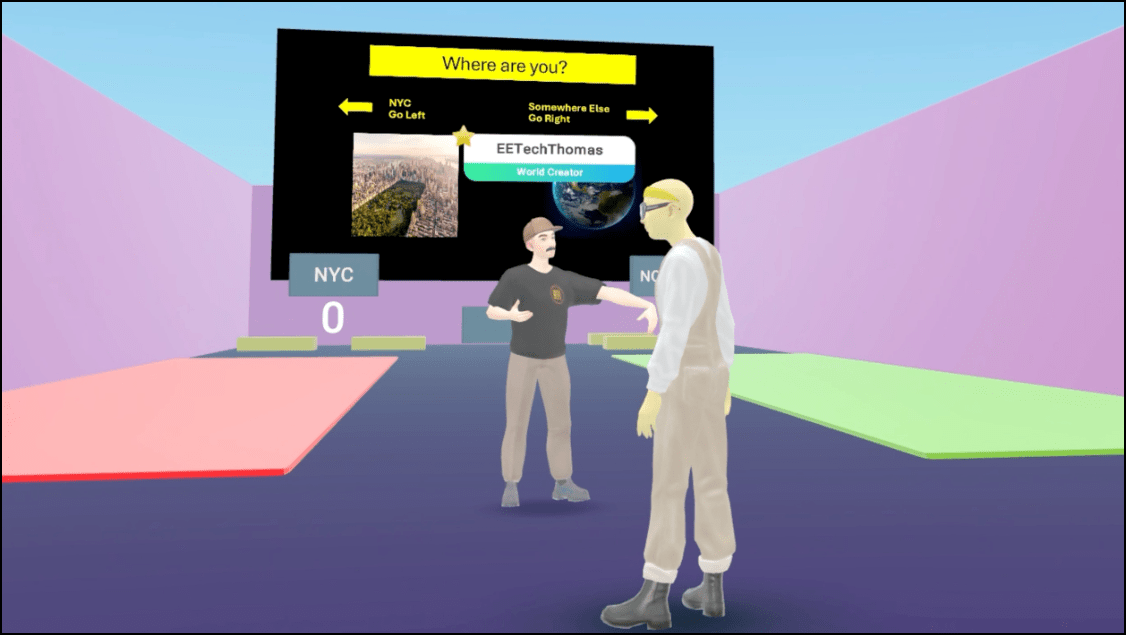
This article is based on Thomas Logan‘s talk at A11yNYC on XR social accessibility in practice, based on lessons from Meta Horizon Worlds.
The evolving landscape of accessibility in virtual reality
Virtual reality has matured rapidly over the past decade, shifting from experimental novelty to a mainstream platform for socializing, learning, and collaboration. As more people enter these environments, accessibility becomes a foundational requirement rather than an optional enhancement.
Thomas traces this evolution through the lens of Meta Horizon Worlds and the Meta Quest 3, drawing on years of hands-on experience with eXtended reality (XR) accessibility. What emerges is a clear picture of both progress and persistent gaps.
His early work in virtual reality (VR) began during the COVID-19 pandemic, when virtual meetups became a lifeline for community connection. Those gatherings revealed the strengths of VR, such as global participation, shared presence, and immersive interaction. But they also exposed barriers that excluded many users.
The shift from flat screens to embodied interfaces introduced new physical demands, new safety concerns, and new assumptions about mobility and dexterity.
These insights shaped the presentation’s central question: How do we ensure that VR evolves to include everyone?
VR case study: Meta Horizon Worlds
Meta Horizon Worlds provides a useful case study because it spans multiple devices, including the headset, mobile, and web. Supporting such varied input methods forces developers to think beyond the default assumptions of VR.
It also highlights the tension between platform-level accessibility options and the custom work required from individual developers. The result is a landscape where some accessibility options are built in, others are optional, and many depend on the priorities of the people creating the experience.
Thomas emphasizes that accessibility in VR is not simply a technical challenge. It is a design philosophy grounded in autonomy, dignity, and safety. When accessibility is built into the platform, more people can participate without needing workarounds.
When it is left to developers, it often becomes a “nice to have” that never reaches implementation. Understanding this dynamic is essential for anyone building or evaluating XR experiences today.
How VR reshapes interaction and introduces new barriers
Unlike traditional digital interfaces, VR relies heavily on physical movement. The headset itself becomes an input device, requiring users to turn their heads to navigate menus or interact with objects. For people with limited neck mobility, this can be a significant barrier.
This seemingly simple design choice, treating head movement as a primary control, creates a new category of accessibility considerations that did not exist in mobile or web environments. Hand controllers introduce another layer of complexity. The Meta Quest controllers assume two functional hands with full dexterity, including thumb, index, and middle-finger movements. Many VR experiences rely on gestures that require grip strength or precise finger placement.
While the Quest supports alternative inputs such as Bluetooth keyboards, mice, and gamepads, these options only help if developers intentionally support them. In practice, many experiences still rely on two-handed controllers as the default, leaving users with limited mobility or limb differences without a viable way to participate.
Physical reach is another challenge. Early VR experiences encouraged users to walk around the room, bend down to pick up objects, or reach overhead. This created safety risks and excluded people who cannot perform those movements.
Over time, user feedback and real-world mishaps, such as people running into televisions or knocking over furniture, pushed developers toward seated-mode design. By 2026, most VR experiences include seated options, reflecting both accessibility needs and general user preference for safer, more predictable interactions.
Physical accessibility standards, such as the Americans with Disability Act (ADA) reach ranges, can be applied directly to virtual environments. Because VR worlds are built using real-world measurements, designers can use established guidelines to determine how high or low interactive elements should be placed.
This connection between physical and digital accessibility is unique to VR and offers a powerful framework for inclusive design. When developers follow these principles, they reduce the need for users to bend, stretch, or strain to interact with virtual objects.
Accessibility in Meta Horizon Worlds: Progress and limitations
Meta Horizon Worlds makes meaningful progress in terms of accessibility. One example is the “near mode” interface. This allows users to pull menus closer to their faces. It works like a built-in zoom feature and supports people with low vision.
The platform also includes haptic feedback, spatial audio, and voice input, offering multiple ways to interact with the environment. These multimodal options can significantly improve usability, especially for people who cannot rely on hand controllers alone.
Another important improvement is the ability to access accessibility settings during device setup. Users can triple-press the Meta button (Oculus button on some controllers) to open these options before the headset is fully configured. This addresses a long-standing gap in many technologies: Accessibility support that becomes available after setup is complete. Providing access from the start supports users who need accommodations immediately, not after navigating an inaccessible onboarding process.
Color correction and contrast adjustments are available in the operating system. While these help, they can’t fully compensate for inaccessible app design. If an experience relies solely on color to convey meaning, no system-level filter can fix that. This underscores the need for developers to follow inclusive design practices rather than relying on platform features to solve everything.
Screen reader support is one of the most significant additions to the Quest ecosystem. Meta introduced an experimental screen reader that uses flick gestures on the controllers to navigate menus. While promising, the feature is still early and has known issues. Some users have reported situations where turning on the screen reader disables both controllers and hand tracking, leaving them unable to turn it off. A more reliable solution would be to provide voice commands, such as “turn screen reader on” or “turn screen reader off.”
Captioning is another area where Horizon Worlds shows both progress and limitations. Automatic captions are available and include speaker labels, which are essential for understanding who is talking.
However, captions cannot be moved, resized, or replaced with human-generated captions. This is a significant limitation for events that rely on professional captioners, such as the Accessibility NYC Meetup. Without a way to integrate high-quality captions, users must rely on automatic speech recognition, which may not meet accuracy needs.
Representation, communication, and the social dimension of accessibility
Representation plays a crucial role in how people experience virtual spaces. Horizon Worlds includes cochlear implant options for avatars, which is a meaningful step toward inclusive representation. However, many other forms of representation, such as wheelchairs, white canes, guide dogs, limb differences, or mobility devices, are not yet supported. Avatars should reflect the diversity of real people, not just idealized bodies.
Communication tools also shape accessibility. The “Speak Live” feature allows users to select preset or custom phrases that are spoken aloud through a synthesized voice. This supports people who use augmentative and alternative communication (AAC). Users can add frequently used phrases, mirroring how AAC devices are personalized in real life. This is only available in the headset, not on mobile or web. Nonetheless, it’s a meaningful step toward supporting non-verbal communication in social VR environments.
Caption placement in social settings is important. Captions that appear too far away, too close, or directly over interactive elements can disrupt the experience. Meta’s documentation recommends placing captions about one meter from the user and allowing repositioning, but developers must implement this. Without a standardized captioning system, quality varies widely across experiences.
Social VR also raises questions about identity and autonomy. Some users prefer anonymity or experimentation with their avatar’s appearance, while others want their virtual representation to match their real-world identity. Social VR must support both. For example, a user who uses a wheelchair in real life may want their avatar to reflect that, while another user may prefer not to disclose their disability. Inclusive design means offering options without assumptions.
What can organizations and developers do now?
Organizations building VR experiences have an opportunity to shape the future of accessibility. One of the most effective strategies is designing for multiple devices. Because Horizon Worlds runs on headsets, mobile phones, and the web, developers must assume that users may not have controllers or full mobility. This naturally encourages more accessible patterns and reduces reliance on physical gestures.
Another key principle is building accessibility into defaults. When accessibility is automatic, it benefits everyone and reduces the burden on developers. Conversely, when accessibility requires custom work, it often becomes a low-priority task that never gets completed. Platform-level support is essential for consistent, reliable accessibility.
Testing with disabled users is also critical. Real-world testing reveals barriers that guidelines alone cannot predict. This is especially true in VR, where physical comfort, motion tolerance, and safety vary widely. Organizations should involve users with diverse disabilities early and often throughout the process. This ensures that accessibility is part of the design process rather than an afterthought.
Finally, developers should prioritize multimodal input and communication. Captions, voice input, haptics, and spatial audio should be treated as core options. These tools support a wide range of users and create more flexible, resilient experiences. As VR continues to evolve, the most successful platforms will be those that embrace accessibility as a fundamental design principle.
Looking ahead
Virtual reality is at a pivotal moment. Platforms like Meta Horizon Worlds show meaningful progress in accessibility, from multimodal input to seated-mode design and early screen reader support. At the same time, many options still depend on developers choosing to implement them, leading to inconsistent experiences.
The path forward is clear: Accessibility must be built into the platform, not bolted on. When VR environments respect autonomy, safety, and representation, they become places where more people can participate fully and confidently. The future of XR depends on making these environments immersive and inclusive.
Video highlights
- New accessibility challenges in VR interaction
- Seated mode design and safety evolution
- Screen reader and text-to-speech advancements
- Captioning limitations and placement needs
- Inclusive avatar representation opportunities
- Q and A with Thomas
Watch the presentation
Bio
Thomas Logan has spent over twenty years helping organizations design and implement technology solutions that are accessible to people with disabilities. Throughout his career, he has led projects for federal, state, and local government agencies, as well as private sector organizations ranging from startups to Fortune 500 companies.
He is the founder and owner of Equal Entry, whose mission is to contribute to a more accessible world. Equal Entry advances this mission by providing training, education, and accessibility audits across websites, desktop and mobile applications, games, and virtual reality. The company partners with organizations that build digital technologies to ensure accessibility is embedded from the start.
Resources
- Meta Horizon Worlds accessibility documentation
- Americans with Disabilities Act (ADA) reach range guidelines
- Accessibility Virtual Reality Meetup [Past Meetup Videos]
- Equal Entry articles on XR accessibility
FAQ
What is XR accessibility?
XR accessibility refers to making virtual, augmented, and mixed reality experiences usable by people with disabilities. It includes visual, auditory, mobility, cognitive, and sensory considerations.
Does Meta Horizon Worlds have captions?
Yes. Horizon Worlds includes automatic captions with speaker labels, though they cannot currently be moved, resized, or replaced with human-generated captions.
Is there a screen reader for the Meta Quest?
Meta introduced an experimental screen reader that uses controller gestures to navigate menus. It is still early and has known usability issues.
Can VR be used while seated?
Yes. Most modern VR experiences, including Horizon Worlds, support seated-mode design to improve safety and accessibility.
How do people with limited mobility interact with VR objects?
Meta includes extended grab distance, allowing users to pull objects toward themselves without bending or reaching. Developers can also support voice input, haptics, and alternative controllers.
Can avatars represent disabilities in Horizon Worlds?
Only limited options exist today, such as cochlear implants. Mobility devices, limb differences, and assistive tools are not yet supported.
