Summary
Charlie Triplett explains how accessibility becomes sustainable when it is built into the everyday tools teams already use. Instead of relying on mindset shifts or expecting everyone to learn the Web Content Accessibility Guidelines (WCAG), Charlie shows how acceptance criteria, team agreements, and agile practices help designers, developers, and product owners understand what success looks like for real people. By embedding accessibility into user stories and Jira tickets, teams become more self-sufficient, reduce ambiguity, and create digital products that work for everyone.
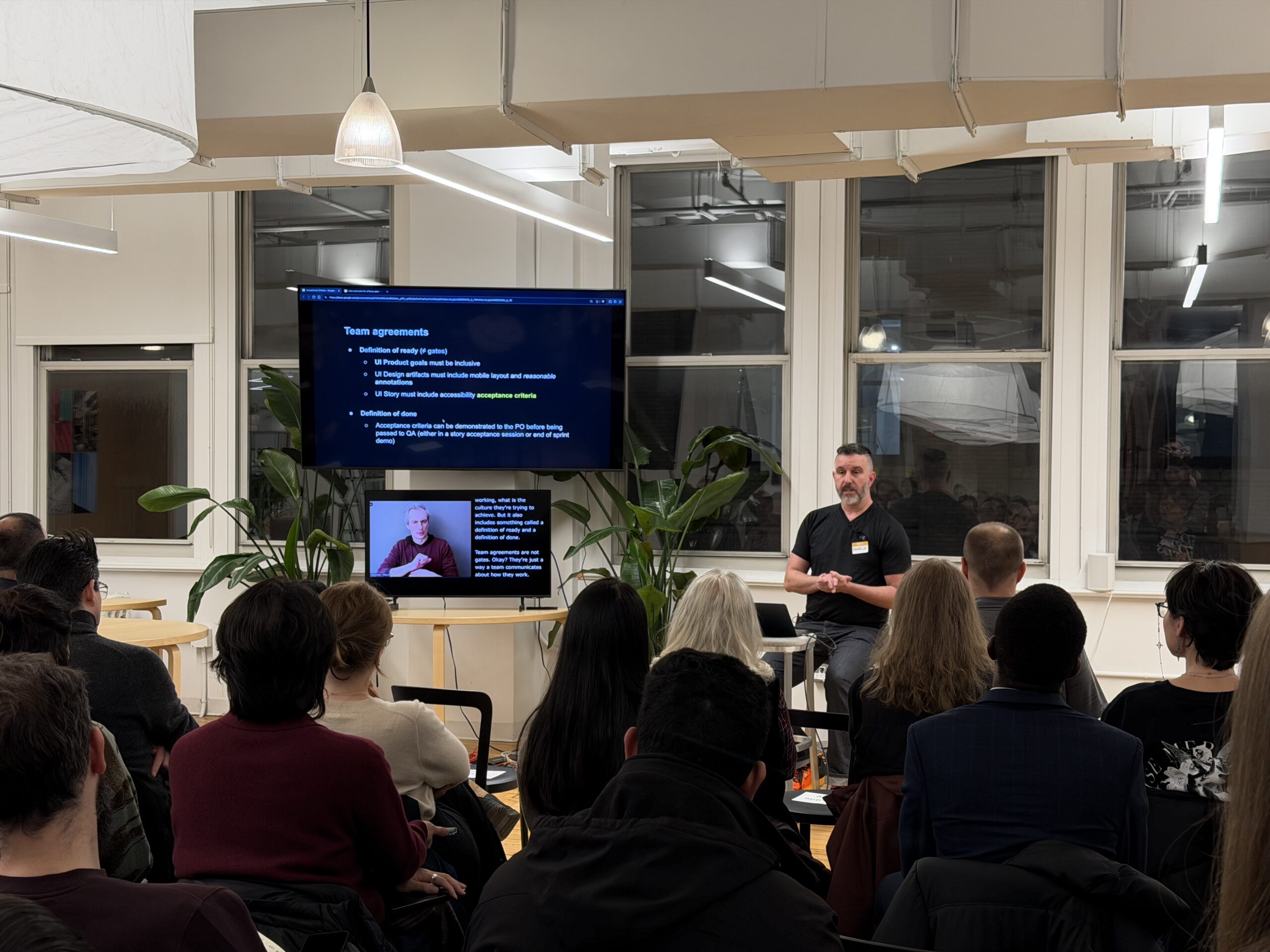
This article is based on Charlie Triplett‘s talk at A11yNYC about the currency on which modern software gets built, which is the Jira ticket. If it’s in the Jira ticket, it gets done. If accessibility isn’t there, a remediation fire drill is.
Building accessibility into everyday product development
Charlie Triplett’s work focuses on building accessibility programs that organizations would miss if they disappeared. He approaches accessibility as a practical, team-centered discipline rather than a compliance exercise.
The first thing to understand is how modern software development works. Teams operate within agile frameworks, and their work is shaped by tools such as Jira, team agreements, and acceptance criteria. These tools already define how teams communicate, plan, and deliver. Instead of asking teams to adopt a new mindset, focus on using the tools they already rely on.
Accessibility becomes sustainable when it is embedded in these existing systems. People come to work to do their jobs, not to maintain a mindset. When accessibility is part of the definition of ready, the definition of done, and the acceptance criteria for each story, it becomes a natural part of the workflow.
It’s important to understand how teams function. When accessibility professionals avoid agile meetings or dismiss scrum as “too many meetings,” they miss the opportunity to influence the process. Teams cannot incorporate accessibility if accessibility experts do not understand how teams work.
Why accountability matters in accessibility work
While well-intentioned, “everybody is responsible for accessibility” often leads to no one being accountable. Teams are made up of people with specific roles, and each role has defined responsibilities. Product managers, designers, developers, and quality assurance (QA) specialists all contribute differently.
Expecting everyone to hold the same level of accessibility expertise is unrealistic. Instead, teams need clarity about who writes acceptance criteria, who fulfills them, and how success is measured. Product owners typically write acceptance criteria, while designers and developers fulfill them. This structure mirrors how teams already operate.
By aligning accessibility with existing responsibilities, teams can integrate it without confusion. This approach respects people’s roles and avoids overwhelming them with expectations outside their job scope.
Teams thrive when expectations are testable and unambiguous. Acceptance criteria provide that clarity. They help teams understand what success looks like for people using assistive technology or device settings such as enlarged text.
How acceptance criteria create clarity and collaboration
Acceptance criteria are short, testable statements that describe what must be true for a feature to be considered complete. They help teams understand the user’s needs and ensure that everyone is aligned on the expected outcome.
There are two common formats for this: user stories and Gherkin-style criteria. User stories describe what a person wants and why. Gherkin criteria describe what is true, what action occurs, and what outcome should follow. Both formats help teams communicate clearly.
“Now, you’re likely going to realize you’re missing some details and you’ll need to talk with your developers and designers before you can finish the stories. That Is A Good Thing! Identifying the missing parts and reducing scope before even building is exactly what Gherkin uncovers for you,” writes Nic Werner in Writing User Stories With Gherkin.
Accessibility criteria can be in user stories. For example, a shopping cart button may have visual states for default and hover, but the design may not include a focus state. When acceptance criteria require a visible focus indicator, the developer must ask the designer for guidance. This prompts collaboration without requiring an accessibility expert to intervene.
Criteria can also cover screen reader behavior, keyboard interaction, mobile screen readers, and device settings such as enlarged text. These criteria help teams think about real people and real use cases.
Over time, teams become more self-sufficient. They stop asking basic questions and begin asking more nuanced ones. This shift frees accessibility experts to focus on complex issues rather than repeating foundational guidance.
Practical steps organizations can take
Organizations can begin by integrating accessibility into the tools and processes they already use. Team agreements can include accessibility expectations in the definition of ready and the definition of done. This ensures that accessibility is considered before work begins and verified before work is completed.
Product owners can add accessibility acceptance criteria to user stories. Designers can annotate Figma files with accessibility information. Developers can implement keyboard, screen reader, and device setting behaviors as part of their normal workflow.
Teams can use resources such as the Accessible Rich Internet Applications (ARIA) Authoring Practices Guide (APG) or tools like Charlie’s AtomicA11y website. These resources provide practical, component-level guidance that can be copied directly into Jira tickets. These resources help teams avoid reinventing the wheel and ensure consistency across projects.
By focusing on clarity, communication, and shared tools, organizations can build accessibility programs that scale across teams and products.
A sustainable path forward
This approach shows that accessibility becomes sustainable when it is woven into everyday work. Acceptance criteria help teams communicate clearly, collaborate effectively, and understand what success looks like for real people. When accessibility is part of the workflow, teams become more confident and self-sufficient.
This approach respects people’s roles, reduces ambiguity, and builds programs that last. It shifts accessibility from a specialist-driven effort to a shared, practical practice grounded in the tools teams already use.
Video highlights
- The problem with “everybody is responsible for accessibility”
- Jira ticket is the currency
- How teams can communicate better
- How accessibility criteria prompt collaboration
- Q and A with Charlie Triplett
Watch the presentation
Resources
- Accessible Rich Internet Applications (ARIA) Authoring Practices Guide
- Atomic Accessibility
- Everything You Need to Know About Acceptance Criteria
- Inclusive Design for Accessibility book
- The Anatomy of a User Story
- The Book on Accessibility
- Writing User Stories With Gherkin
Bio
Charlie Triplett is an accessibility leader with over 20 years of experience in UX design and UI engineering, now focused on building global enterprise accessibility management programs.
He invented AtomicA11y.com, wrote TheBookOnAccessibility.com, and contributed the Design Systems chapter of Inclusive Design for Accessibility: A practical guide to digital accessibility, UX, and inclusive web and app design.
FAQ
What are the acceptance criteria in accessibility?
Acceptance criteria are testable statements that describe what must be true for a feature to be complete. They help teams understand expected behavior for people using assistive technology or device settings.
Who writes accessibility acceptance criteria?
Product owners typically write acceptance criteria. Designers and developers fulfill them as part of their normal workflow.
How do acceptance criteria help teams?
Acceptance criteria reduce ambiguity, prompt collaboration, and help teams understand what success looks like for real people. They also help teams become more self-sufficient over time.
What tools can teams use to find accessibility criteria?
Teams can use the Accessible Rich Internet Applications (ARIA) Authoring Practices Guide and AtomicA11y to find ready-made criteria for common components.
