Summary
At an A11yNYC meetup, Lina Trifon, Senior Product Manager of Accessibility, shared practical strategies for building sustainable accessibility programs. Drawing from lived experience and product leadership, Lina outlined how to use the W3C Accessibility Maturity Model and a dual-track approach — reactive and proactive — to move organizations from awareness to integration. The conversation emphasized dignity, inclusion, and realistic steps for embedding accessibility into workflows.
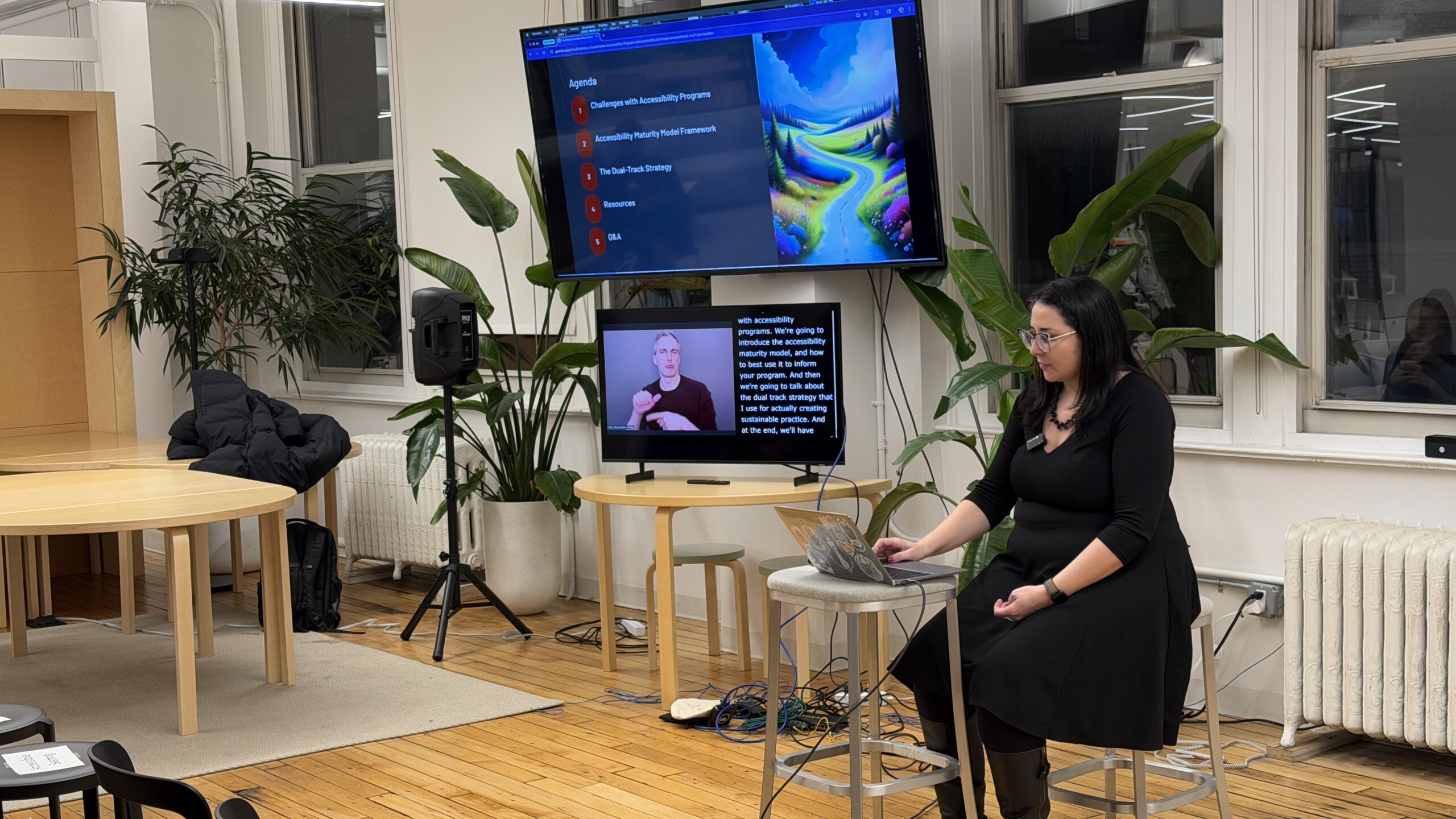
This article is based on Lina Trifon‘s talk at A11yNYC on how to build a sustainable accessibility program using dual-track strategies and the W3C maturity model.
Understanding the challenge
Accessibility programs often begin with good intentions but quickly run into barriers. Lina named the most common ones:
- Overwhelming technical debt.
- Limited resources.
- Competing priorities.
- Lack of buy-in.
These challenges are familiar to anyone who’s tried to push for accessibility in a product-driven environment.
She emphasized that buy-in isn’t just a leadership issue. Resistance can come from any level of an organization, especially when accessibility is seen as extra work rather than an essential quality. That’s why it’s important to start with clarity by understanding where your organization stands before deciding how to move forward.
To do this, Lina recommends using the W3C Accessibility Maturity Model. It’s a framework that helps teams assess their current state and set realistic goals. The model includes four levels:
- Inactive
- Launch
- Integrate
- Optimize
Using the W3C maturity model
Most organizations Lina works with are in the “launch” phase. That means they’ve started thinking about accessibility but haven’t yet embedded it into their workflows. Her goal is to help them reach the “integrate” phase, where accessibility becomes part of everyday practice.
The W3C model includes seven criteria, but Lina focuses first on two: the software development lifecycle and knowledge/skill building. These areas offer the most leverage for product teams and are often the easiest to influence early on.
She referenced a resource from the North Carolina Department of Public Instruction, which includes a self-assessment rubric and dynamic recommendations for each maturity level.
The dual-track strategy: reactive and proactive
To move from launch to integrate, Lina uses a dual-track strategy. The reactive track addresses legacy issues. The proactive track embeds accessibility into future work. Both are necessary for long-term success.
Reactive work often starts with an audit. Lina prefers external, manual audits. This is especially true in regulated industries like education and healthcare because they carry more weight with stakeholders. Manual testing catches more issues and reflects real user experience.
Once issues are identified, prioritization is key. Lina recommends considering frequency of use, severity of impact, and whether a feature is about to be rebuilt. This helps teams avoid wasting effort on soon-to-be-retired components.
Remediation and component libraries
When it’s time to fix issues, batching them by component or user flow is more efficient than tackling them one by one. Lina also recommends leveraging component libraries, which are collections of reusable UI elements like buttons and forms. Fixing a component once can improve accessibility across the entire product.
However, she cautions that component libraries aren’t magic. Teams still need to verify implementation and ensure updates are applied consistently. In organizations without a design system, Lina has created shared decision logs to document accessibility choices and guide future work.
Documentation is critical. It helps teams avoid repeating mistakes and ensures that accessibility decisions are visible across roles.
Shifting left with proactive strategies
Reactive work is necessary, but it’s not enough. Without proactive strategies, teams will keep generating new accessibility debt. That’s why Lina focuses on shifting left. This means embedding accessibility into the earliest stages of product development.
Training is the first step. Lina recommends both general and role-specific training and stresses that learning should be ongoing. One-time workshops alone don’t cut it. People need to practice accessibility to retain it.
Next, she suggests creating role-based guidelines and checklists. These reduce friction and make accessibility easier to implement. Checklists aren’t perfect, but they help teams build habits and clarify expectations.
Making accessibility part of the process
The final step is process integration. Accessibility should be required, not optional. Lina recommends adding checkpoints to design reviews, code reviews, and QA testing. She also encourages design annotations that clearly communicate accessibility requirements.
To sustain progress, accessibility must be part of performance reviews, KPIs, and job descriptions. Treat it like security. In other words, non-negotiable and essential to quality. This helps shift the mindset from “extra work” to “core responsibility.”
These strategies worked at Lina’s previous company. Accessibility became normalized, and the dedicated accessibility team was eventually disbanded. That’s because the work was fully embedded.
Building buy-in and community
Getting buy-in is often the hardest part. One of the most effective tips is showing short video clips of users with disabilities interacting with your product. Real feedback builds empathy and helps stakeholders understand the impact.
Legal risk can also motivate change, especially in regulated industries. But it’s not a sustainable motivator. Shame and fear may spark action, but long-term success comes from pride, ownership, and inclusion.
The A11yNYC event itself modeled best practices. It included live captioning, ASL interpretation, accessible seating, and gender-neutral restrooms. The community emphasized iteration, feedback, and shared learning.
Embedding accessibility for the long haul
Building a sustainable accessibility program takes more than audits and checklists. It requires cultural change, practical tools, and human-centered design. Lina Trifon’s approach offers a clear path forward: assess honestly, act strategically, and embed accessibility into every layer of the organization. The A11yNYC community continues to lead by example, showing that accessibility is possible and essential.
What organizations can do next
- Use the W3C Accessibility Maturity Model to assess your current state.
- Start small within your role to raise awareness and ask questions.
- Prioritize manual testing and real user feedback.
- Build accessibility into KPIs, job descriptions, and performance reviews.
- Document decisions and share knowledge across teams.
- Treat accessibility as a core quality metric, not a compliance checkbox.
Video highlights
- Challenges with accessibility programs
- Introducing the Accessibility Maturity Model
- About the dual-track strategy
- TL;DR version of building a sustainable accessibility program
- Q&A with Lina
Watch the presentation
Bio
Lina Trifon (she/they) is the Senior Product Manager of Accessibility at Ellevation Education. Lina is passionate about creating inclusive and equitable experiences for all users. In her role, Lina develops and executes an accessibility strategy that builds a proactive, inclusive culture across the organization.
Lina’s work ranges from conducting audits and prioritizing what needs to be fixed to training teams and building new workflows that make accessibility a natural part of how the research and development team operates.
Resources
Frequently asked questions about sustainable accessibility programs
What is the W3C Accessibility Maturity Model?
The W3C Accessibility Maturity Model is a framework that helps organizations assess and improve their accessibility practices. It defines four levels of maturity:
- Inactive: No accessibility awareness or program in place.
- Launch: Initial efforts exist but are disorganized.
- Integrate: Accessibility is embedded into workflows and processes.
- Optimize: Accessibility is fully normalized and part of the company culture.
Organizations can use this model to identify gaps, set realistic goals, and track progress across seven key criteria, including development lifecycle, procurement, and skill building.
What does a dual-track accessibility strategy mean?
A dual-track accessibility strategy combines two approaches:
- Reactive track: Fixes existing accessibility issues, often uncovered through audits.
- Proactive track: Embeds accessibility into future workflows to prevent new issues.
This strategy helps organizations address legacy barriers while building sustainable, inclusive practices. It’s especially useful for teams starting at the “launch” phase of the maturity model.
Why is manual accessibility testing important?
Manual testing is essential because automated tools only detect a small percentage of accessibility issues, typically around 20 to 30%. Manual testing involves real people using assistive technologies like screen readers or keyboard navigation to identify barriers that automated scans miss.
Manual audits are especially valuable in regulated industries like healthcare, education, and finance, where credibility and thoroughness matter. They also provide richer insights into user experience and usability.
How can organizations prioritize accessibility issues after an audit?
Lina recommends prioritizing based on three factors:
- Frequency of use: Focus on high-traffic pages or features.
- Severity of impact: Address blockers that prevent task completion.
- Product roadmap: Avoid fixing features that are being retired or rebuilt.
This approach helps teams avoid overwhelm and focus on changes that deliver the most impact for users.
What are component libraries and why do they matter for accessibility?
Component libraries are collections of reusable UI elements–like buttons, forms, and icons–that developers use to build digital products. Fixing accessibility in a component library can improve multiple areas of a product at once.
However, updating the library isn’t enough. Teams must also verify that components are implemented correctly across the product. Lina recommends early remediation of shared components to maximize efficiency and reduce future debt.
How can accessibility be embedded into product development workflows?
Embedding accessibility means making it part of every stage of development. Lina suggests:
- Adding accessibility checkpoints to design reviews, code reviews, and QA testing.
- Using design annotations to communicate accessibility requirements.
- Creating role-specific checklists and best practices.
- Including accessibility in KPIs, job descriptions, and performance reviews.
This shift helps normalize accessibility and ensures it’s treated as a core quality metric.
What’s the best way to get stakeholder buy-in for accessibility?
One of the most effective strategies is showing real user feedback. Recording short clips of users with disabilities interacting with your product can build empathy and highlight barriers in a tangible way.
Legal risk is another motivator, especially in industries with compliance requirements. However, long-term buy-in comes from aligning accessibility with business goals, customer experience, and team pride.
Can accessibility programs ever stop doing reactive work?
Yes, but only when proactive practices are fully embedded. Lina shared that at a previous company, her team completed most reactive work and normalized accessibility across workflows. As a result, the dedicated accessibility team was disbanded. Not because the work ended, but because it became everyone’s responsibility.
This outcome is bittersweet. It reflects success, but also requires ongoing vigilance to ensure accessibility remains a priority.
