Summary
Google Docs replaces pasted URLs with page titles automatically. This small change helps people who use screen readers or voice control navigate more easily. It shows how building accessibility into everyday tools makes good practices effortless for busy content creators.
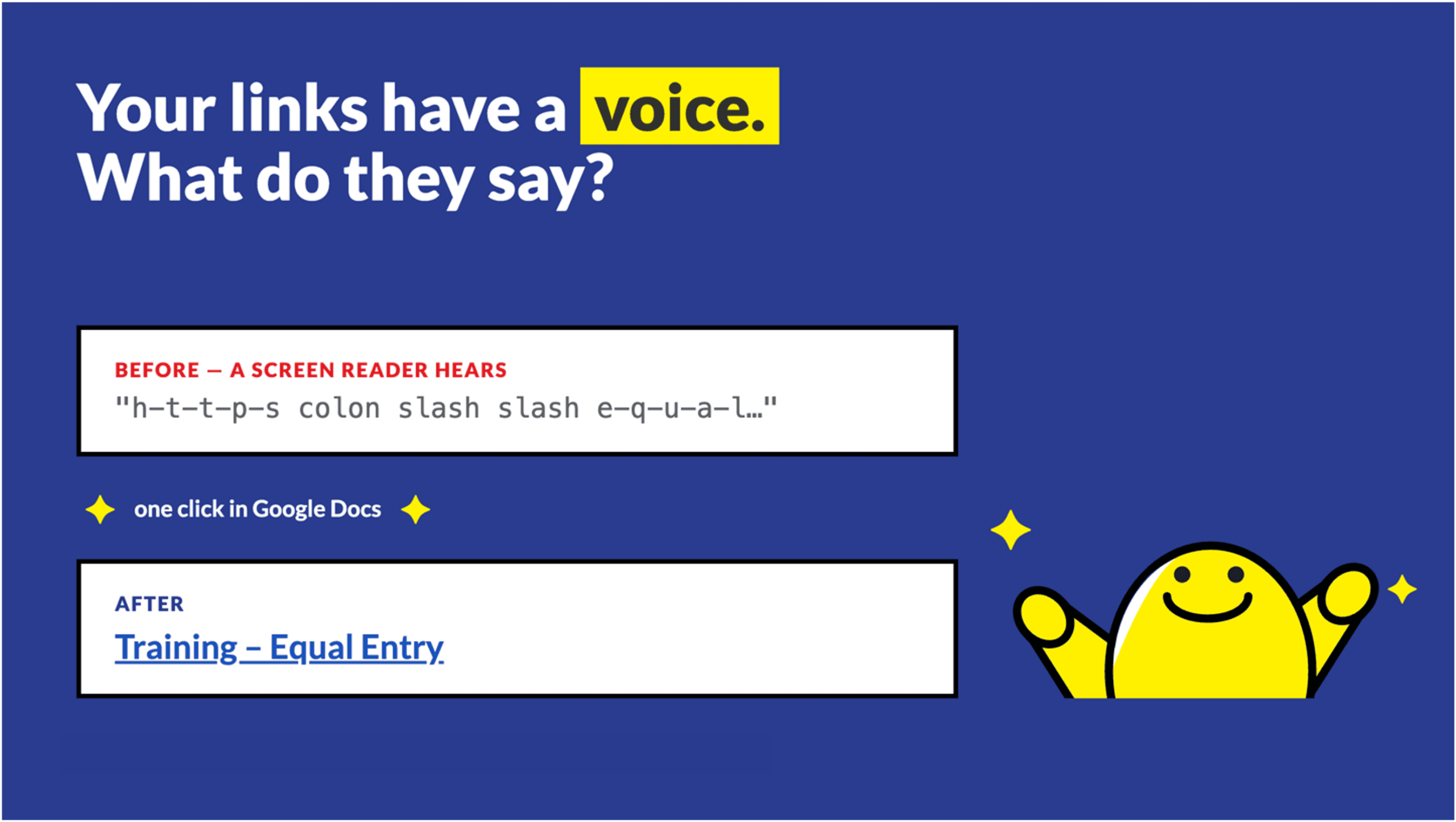
For years, I’ve taught a simple accessibility principle: don’t paste full URLs when descriptive link text will do a better job.
Instead of sharing a long URL such as https://equalentry.com/services/training/, I encouraged people to create meaningful links, such as Training – Equal Entry.
There’s a good reason for this. A screen reader announces a raw URL exactly as written — character by character: “h-t-t-p-s colon slash slash e-q-u-a-l…”. What a sighted reader skips past in a glance becomes a long, tedious listen.
This approach improves readability, creates a cleaner user experience, communicates where the link goes, and helps people using assistive technologies understand where the link will take them.
The challenge is that simple accessibility best practices can be hard to apply consistently. Content creators are busy. They focus on creating content, not memorizing accessibility requirements. Every additional step creates friction.
That’s why I was excited to see an enhancement in Google Docs that automatically replaces pasted URLs with page titles. While it looks like a small time-saving feature, it represents something much larger: accessibility support built directly into the content experience.
The importance of accessible content
When most people think about accessibility, they think about the final content that users consume. Accessibility professionals often evaluate websites, documents, and applications to determine whether they conform to standards such as the Web Content Accessibility Guidelines (WCAG).
But accessibility begins much earlier.
Every piece of content starts with an authoring tool like a content management system or social media application. If content creators get intuitive workflows and helpful guidance, they’re more likely to create accessible content from the beginning.
World Wide Web Consortium’s Authoring Tool Accessibility Guidelines (ATAG) 2.0 addresses this idea. ATAG encourages authoring tools to actively support authors and content creators in creating accessible content rather than leaving accessibility to someone’s knowledge and effort.
In other words, accessibility should be built into the process rather than added afterward.
Why link text matters
WCAG states that links must clearly communicate their purpose. When someone encounters a link labeled Click Here or Read More, they will not know where the link will take them. A good piece of advice I’ve heard is that a link should be a promise, not a surprise.
This matters because of how people actually navigate. Screen readers can pull every link on a page into a single alphabetized list, with all of the surrounding text stripped away. In that list, a link labeled Click Here says nothing at all. Generic link text creates confusion and wastes energy for anyone who navigates by links alone.
Descriptive links such as download the accessibility audit report or register for accessibility training provide immediate context and make navigation more efficient.
Screen reader users are not the only people who benefit. People who navigate by speech input — using tools such as Voice Control or Dragon — activate a link by speaking its name. Saying “Accessibility Training Course” out loud is easy; saying a 70-character URL is not.
Despite this well-established guidance, many documents still contain URLs or generic link text because creating better links requires additional effort from the author.
Reducing friction through automation
Google Docs has automated the process of converting a pasted URL with the title of the destination page. Instead of posting a URL in a document, Google Docs quickly converts it into meaningful text that aligns more closely with accessibility guidance. The process makes it easy for someone to edit the linked text if needed.
This powerful feature stands out because it reduces effort while creating a more useful link.
Accessibility professionals know that compliance improves with the removal of barriers. The easier it is to do accessibility, the more likely people will do it consistently.
This enhancement shifts the content creator’s task from:
“Think of appropriate link text and type it manually.”
to:
“Review and refine automatically generated text.”
That leads to a meaningful improvement in the authoring workflow.
A model for other content and authoring tools to follow
What makes this feature noteworthy is that many content and authoring tools still require authors to create descriptive links (linked text) on their own.
Google’s approach shows how content and authoring tools can support accessibility without interrupting productivity. Rather than requiring training, reminders, or post-publication remediation, the tool helps content creators make better choices while creating content. This is the kind of support ATAG promotes.
I encourage document editors, content management systems, email editors, learning management systems, and collaboration platforms to implement a similar approach. Thoughtful automation, like Google Docs’ handling of links, opens the door to many opportunities to reduce accessibility barriers.
Room for improvement in accessibility
Like many automated features, the quality of the outcome depends on the quality of the source information.
In my testing, I’ve noticed situations where the generated text reflects a page title that may not be the most useful description for readers. In some cases, it may appear to rely on page metadata or heading content that doesn’t make an ideal link text.
Page titles can also collide. Many pages are simply titled “Home” or “Documentation,” and good link text needs to be unique as well as descriptive — two links that read the same but lead to different places are still confusing. This is exactly where the author’s review makes the difference.
This isn’t a criticism of the feature. Rather, it highlights an important lesson: automation should support creators, not replace their judgment. The best workflow combines intelligent automation with opportunities for creators to review and improve the suggested text.
Even with this limitation, this enhancement represents significant progress.
Accessibility at scale
One of the most powerful ways to improve accessibility is to help people create better content by default. Hence, training remains important. Standards remain important. Testing remains important. Yet, thoughtful product design can amplify all of those efforts.
The Google Docs link-title feature shows how a small enhancement can improve usability, encourage accessibility best practices, and reduce the burden on content creators. We need more of this type of innovation.
Continue learning about accessibility
If you’re interested in practical examples of accessibility built into everyday tools, consider joining the Learning Accessibility community.
We regularly explore real-world accessibility tools, emerging best practices, accessibility standards, and practical strategies that help organizations create more inclusive digital experiences.
Accessibility succeeds when knowledge, process, and technology work together. And this Google Docs enhancement delivers an excellent example of that principle in action.
Descriptive links aren’t just a best practice — for organizations subject to Section 508 or WCAG 2.1 AA, they’re a requirement. If your team needs help building these authoring habits, Equal Entry offers accessibility training and audits of your documents, tools, and workflows. Contact us to get started.
